 Skip to content

Indoor Golf Simulators: A Complete Guide to Choosing the Right Setup
Indoor golf has become an appealing option for golfers who want to practice, play virtual courses, and work on their game without depending on outdoor conditions. With the right equipment, a garage, basement, or dedicated room can become a personal golf simulator space.
Building an indoor golf simulator involves more than purchasing a launch monitor. Room dimensions, hitting surfaces, impact screens, projectors, and simulation software all influence the final experience. This guide explains the main components to consider before choosing a setup.
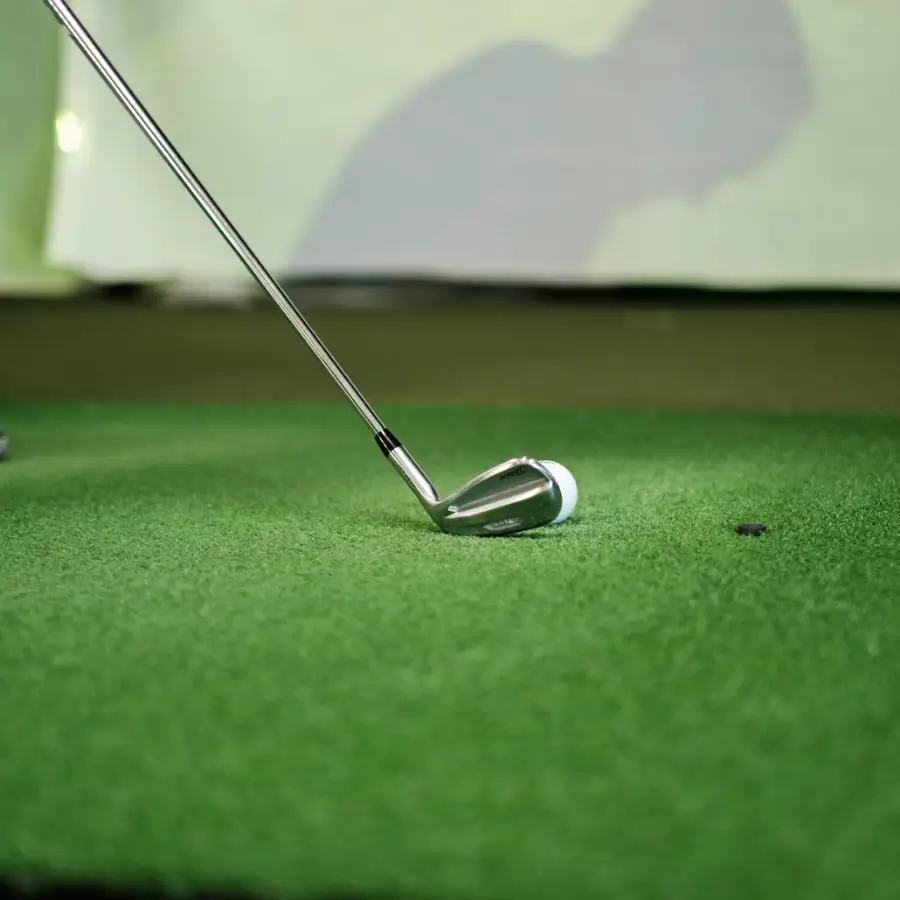
What Is an Indoor Golf Simulator?
An indoor golf simulator is a system that combines tracking technology, software, and physical equipment to recreate a golf practice or playing environment indoors.
The launch monitor measures important aspects of a golf shot, such as ball speed, launch angle, spin, and distance. Depending on the system, it may also measure club-related data.
Simulation software processes this information and displays the results, allowing golfers to practice at a virtual driving range or play simulated golf courses.
A complete setup can include:
Tracking equipment
- A golf launch monitor
- A compatible computer or device
- Golf simulation software
Physical setup
- An impact screen or golf net
- A simulator enclosure
- A hitting mat
- A projector
- Protective accessories
Keep in mind: Not every golfer needs a permanent installation. Some systems are designed for portable practice, while others are built for dedicated simulator rooms.
1. Choose the Right Golf Launch Monitor
The launch monitor is one of the most important components of an indoor golf simulator. Its job is to capture information about each shot and communicate that data to the simulation software.
Different technologies are used to track golf shots, and the right option depends on your available space, budget, and performance expectations.
Camera-Based Launch Monitors
Camera-based systems use high-speed cameras to capture information about the golf ball and, depending on the model, the club.
Some units are positioned beside the hitting area, while others are installed overhead.
Potential advantages include:
- Flexible installation options
- Suitability for certain smaller rooms
- Detailed shot analysis on compatible models
- Options for both home and commercial environments
Radar-Based Launch Monitors
Radar-based systems use radar technology to track ball movement and calculate shot information.
Some models require additional space behind the golfer or between the hitting area and the screen.
Before purchasing, check the manufacturer's recommended room dimensions and installation requirements.
What Should You Compare?
When evaluating launch monitors, consider:
- Ball data measurements
- Club data availability
- Indoor tracking requirements
- Required space behind or beside the hitting area
- Software compatibility
- Subscription costs
- Connectivity options
- Compatibility with your computer or mobile device
The most expensive launch monitor is not automatically the best choice for every golfer. A suitable system should match the intended use and available room.
2. Plan Your Indoor Golf Simulator Room
Before purchasing equipment, measure the room where the simulator will be installed. This is one of the most important steps because the available space determines which equipment configurations are practical.
What Should You Measure?
- Ceiling height
- Room width
- Total room depth
- Distance between the hitting position and impact screen
- Available space behind the golfer
- Locations of doors, lights, beams, and other obstacles
Example of a Room Recommendation
Some manufacturers provide different room recommendations depending on their launch monitor technology and simulator configuration.
For example, Bushnell provides a recommended room size of 18 feet long, 12 feet wide, and 9 feet high for its premium indoor simulation setup. Other configurations may work in smaller spaces.
Do not rely on a single universal measurement. Always check the specific requirements of the equipment you intend to purchase.
It is also important to take practice swings with your longest club before installing anything permanently.
3. Select an Enclosure and Impact Screen
The enclosure and impact screen help create the physical hitting area.
An enclosure typically includes a frame and protective side structures designed to contain golf shots.
The impact screen provides a surface for the ball to strike and can display the virtual golf course when paired with a compatible projector.
What to Compare When Choosing an Enclosure
- Overall dimensions
- Frame construction
- Side and ceiling protection
- Screen material
- Compatibility with your projector
- Installation requirements
- Replacement screen availability
A golf net is another option for golfers who prioritize practice over a fully immersive simulation experience. A net-based setup can be simpler, while a complete enclosure and impact screen provide a more integrated simulator environment.
4. Choose a Quality Golf Hitting Mat
The hitting mat is the surface where you stand and strike the golf ball. It is an important part of the setup because it influences comfort, stability, and the overall practice experience.
Features to Compare
- Mat thickness
- Surface material
- Turf quality
- Stability during swings
- Tee compatibility
- Available hitting area
- Durability
- Compatibility with your enclosure
Some golfers prefer compact hitting mats, while others choose larger turf platforms that cover most of the simulator floor.
If you plan to practice frequently, the quality of the hitting surface deserves careful consideration.
5. Select the Right Projector
A projector is commonly used to display virtual golf courses and simulation software directly onto the impact screen. However, not every projector is suitable for every simulator room.
What Matters When Choosing a Projector?
- Screen dimensions
- Room depth
- Projector mounting distance
- Throw ratio
- Image resolution
- Brightness
- Ambient lighting
- Installation position
Short-throw projectors can be useful in simulator rooms where installation space is limited.
Before purchasing, calculate the required projection distance based on the screen dimensions and the projector's specifications.
Also consider where the projector will be mounted. Its position should avoid interfering with the golfer's swing.
6. Compare Golf Simulation Software
Simulation software is what turns shot measurements into an interactive golf experience.
Depending on the platform, golfers may have access to:
Practice Features
- Driving ranges
- Practice sessions
- Shot statistics
- Performance tracking
Playing Features
- Virtual golf courses
- Multiplayer games
- Skill challenges
Not all software platforms offer the same features. Some launch monitors include software access, while others require separate purchases or subscriptions.
Before selecting a system, verify that the launch monitor is compatible with the software you want to use.
Also check whether the software requires a Windows PC, mobile device, or another compatible platform.
7. Consider Your Total Budget
The cost of an indoor golf simulator depends on the equipment, installation, and level of customization.
A basic practice setup may require fewer components than a permanent simulator room with a large enclosure, projector, computer, and advanced launch monitor.
Instead of comparing only the advertised price of a launch monitor, calculate the total cost of ownership.
Costs to Include in Your Budget
| Component | What to consider |
|---|---|
| Launch monitor | Tracking technology and software compatibility |
| Enclosure | Frame, protection, and dimensions |
| Impact screen | Material and replacement costs |
| Hitting mat | Quality, size, and durability |
| Projector | Resolution, brightness, and throw ratio |
| Computer | Hardware and software requirements |
| Software | Included features and recurring subscriptions |
| Installation | Mounting, electrical work, and setup |
A complete package may offer convenience by combining compatible components. Building a simulator from individual products can provide more flexibility, but requires additional research.
How Much Can a High-End Setup Cost?
One published estimate from Carl's Place places a high-budget golf simulator between $10,000 and $20,000. This is an estimate for a high-end configuration, not a universal price range for every indoor golf simulator.
8. Home Golf Simulator vs. Commercial Golf Simulator
Home and commercial installations have different requirements. The intended use should influence the equipment selection from the beginning.
Home Golf Simulators
A home setup is generally designed around personal practice, entertainment, and convenience.
Common installation locations include:
- Garages
- Basements
- Spare rooms
- Dedicated recreational spaces
A home simulator may use a portable net or a permanent enclosure, depending on the available space.
Commercial Golf Simulators
Commercial systems are designed for environments such as:
- Indoor golf facilities
- Golf training studios
- Sports entertainment venues
- Golf coaching businesses
- Private membership facilities
Commercial installations may require more durable equipment, professional installation, multiple hitting bays, and software licensing appropriate for business use.
9. Common Mistakes to Avoid When Buying an Indoor Golf Simulator
Before making a purchase, consider some of the most common mistakes.
Buying Equipment Before Measuring the Room
A launch monitor or enclosure may have specific installation requirements. Measure everything first.
Ignoring Launch Monitor Compatibility
Not every launch monitor works with every simulation software platform. Verify compatibility before purchasing.
Choosing a Projector Based Only on Price
Projection distance, brightness, and screen dimensions all matter.
Overlooking Recurring Software Costs
Some systems require subscriptions or additional software purchases.
Underestimating the Hitting Mat
A poor-quality hitting surface can affect comfort during repeated practice sessions.
Forgetting Left-Handed Golfers
If multiple golfers will use the simulator, make sure the configuration accommodates both right-handed and left-handed players when necessary.
10. How to Choose the Best Indoor Golf Simulator for Your Needs
There is no single simulator configuration that works for everyone. The best setup depends on how you intend to use it and the space available.
| Your priority | What to evaluate |
|---|---|
| Casual practice | Portable launch monitor and golf net |
| Home entertainment | Enclosure, impact screen, projector, and software |
| Detailed performance analysis | Launch monitor data and club measurement capabilities |
| Limited room space | Compact equipment and manufacturer-approved configurations |
| Dedicated golf studio | Integrated simulator package and permanent installation |
| Commercial operation | Commercial-grade equipment and appropriate software licensing |
Take time to compare complete systems rather than making a decision based on one component. Room dimensions, equipment compatibility, and intended use should all be considered together.
Final Thoughts
An indoor golf simulator can be a substantial investment, so choosing the right equipment requires careful planning.
Start by measuring your available space. Then compare launch monitor technologies, enclosure dimensions, hitting surfaces, projector requirements, and software compatibility.
The goal is not simply to purchase the most advanced equipment available. It is to build a simulator that fits your room, playing habits, and expectations.
With the right combination of components, an indoor golf setup can provide a practical environment for practice, entertainment, and golf throughout the year.
Frequently Asked Questions
How much space do you need for an indoor golf simulator?
The required space depends on the launch monitor, enclosure, golfer's swing, and projector configuration. Some manufacturers recommend rooms around 18 feet long, 12 feet wide, and 9 feet high for particular setups. Always check the specifications of your chosen system.
Can you build a golf simulator in a garage?
Yes. Garages are common locations for home golf simulators. However, you should check ceiling height, room depth, width, lighting, and potential obstructions before purchasing equipment.
Do all golf simulators need a projector?
No. A projector is useful for displaying virtual courses on an impact screen, but some golfers use a computer, tablet, or other compatible display instead.
What is the most important component of a golf simulator?
The launch monitor is central to the tracking system, but the complete experience also depends on the enclosure, hitting surface, software, and other compatible equipment.
Are indoor golf simulators worth the investment?
That depends on how frequently you plan to use the system, your available space, and your budget. Golfers who value convenient practice and indoor entertainment may find a home simulator useful.
Can beginners use indoor golf simulators?
Yes. Indoor golf simulators can be used by beginners and experienced golfers. The available practice features and feedback depend on the launch monitor and software.
Editorial note: Equipment specifications and compatibility vary by manufacturer and model. Always consult the manufacturer's documentation before purchasing.
