 Skip to content

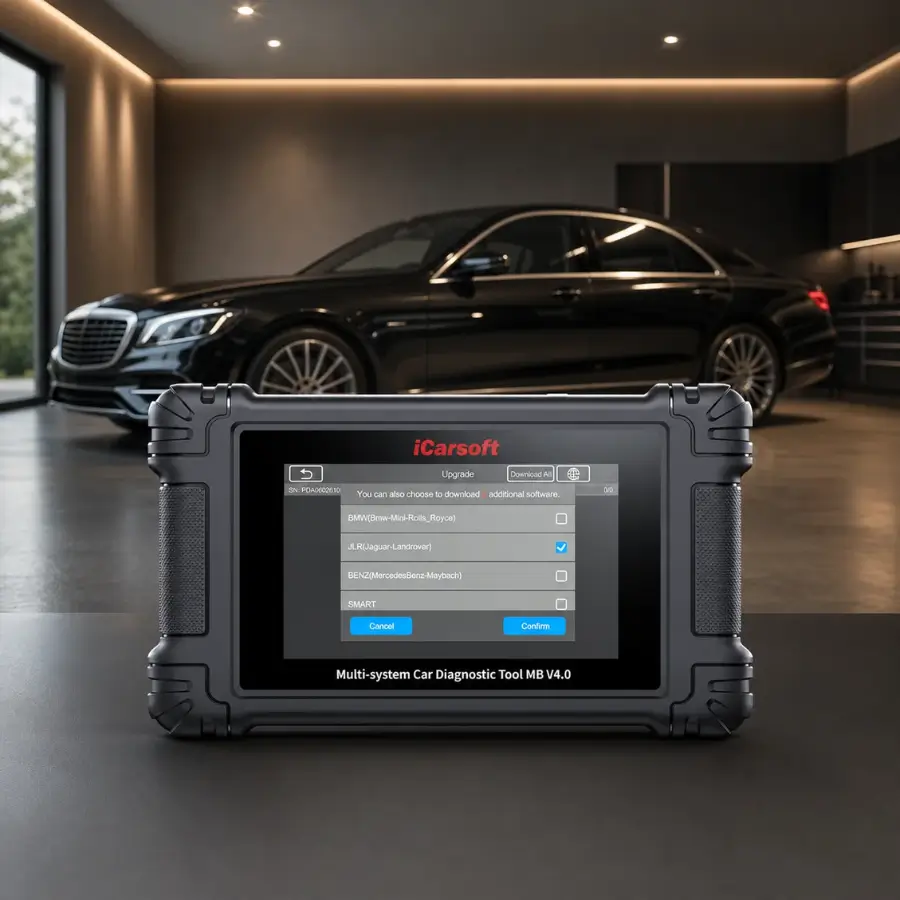
iCarsoft MB V4.0 Diagnostic Scanner for Mercedes-Benz
The iCarsoft MB V4.0 is a dedicated diagnostic scanner designed for Mercedes-Benz, Sprinter, Smart, and Maybach vehicles. It combines full-system diagnostics, bidirectional controls, service functions, and a 5-inch Android touchscreen in one portable device.
With CAN-FD support, wireless software updates, and compatibility with selected vehicle platforms dating from 1996 onward, it is designed for vehicle owners, independent mechanics, and workshops that need more than a basic OBD2 code reader.
What Is the iCarsoft MB V4.0?
The MB V4.0 is a Mercedes-focused automotive diagnostic tool that provides access to vehicle electronic systems beyond standard engine-code scanning. It can read and clear diagnostic trouble codes, display live data, retrieve ECU information, and perform supported system-specific service procedures.
Its Android-based interface and touchscreen make navigation more similar to using a tablet than a traditional handheld scanner with physical buttons. The device also supports diagnostic history and report handling, allowing users to review previous scans and keep records.
One Scanner for Multiple Vehicle Groups
The MB V4.0 comes with software for the following vehicle groups:
Mercedes-Benz
Primary vehicle coverage, with supported models and systems depending on year and configuration.
Sprinter
Diagnostic support for compatible Mercedes-Benz Sprinter vans.
Smart
Compatible Smart vehicle coverage through the included software.
Maybach
Support for compatible Maybach models within the manufacturer's coverage.
The official store states that two additional vehicle make groups can be downloaded free of charge. The available groups include options such as BMW, Toyota, Ford, Honda, JLR, V.A.G., and others.
5-Inch Android Touchscreen
The MB V4.0 uses an Android operating system and a quad-core 1.3 GHz processor. Its touchscreen interface is designed to make navigation through diagnostic menus and vehicle systems straightforward.
| Specification | iCarsoft MB V4.0 |
|---|---|
| Operating system | Android |
| Processor | Quad Core 1.3 GHz |
| Memory | 64 GB (as listed on the official US product page) |
| Display | 5-inch LCD touchscreen, 854 × 480 resolution |
| Connectivity | USB 2.0, Wi-Fi 2.4 GHz, OBDII |
| Battery | 3.7 V, 5000 mAh |
| Approximate battery life | Up to around 6 hours, according to the manufacturer |
| Charging input | USB-C, 5 V / 2 A |
| Operating temperature | 0–50 °C (32–122 °F) |
The device is portable and intended for use in a workshop or near the vehicle. Wi-Fi connectivity is used for software updates and supported online functions.
Lifetime Free Software Upgrades
According to iCarsoft, the MB V4.0 includes lifetime free software upgrades. The updates are delivered through Wi-Fi, so the scanner can receive supported software improvements without connecting to a computer for the update process.
Wireless Updates
Connect the device to a Wi-Fi network to check for and install available software updates.
Keeping the software current is important because vehicle coverage and diagnostic functions may change as the manufacturer releases updates.
Compatibility with Newer Vehicle Platforms
CAN-FD (Controller Area Network Flexible Data-Rate) is an automotive communication protocol used in newer vehicle architectures. The MB V4.0 includes CAN-FD support for compatible vehicles.
This can be relevant when diagnosing newer Mercedes-Benz models that use updated communication systems. However, CAN-FD support alone does not guarantee that every diagnostic or service function will work on every vehicle.
Active Tests and Component Activation
Bidirectional control allows a compatible diagnostic scanner to send commands to supported vehicle modules instead of only reading information from them. The MB V4.0 advertises active tests for selected components and systems.
Component Activation
Activate supported components such as selected pumps, valves, window regulators, and other electronically controlled systems.
System Response
Observe how a supported component responds to a diagnostic command during troubleshooting.
41 Advertised Maintenance and Reset Functions
The iCarsoft MB V4.0 advertises 41 service functions for supported Mercedes-Benz vehicles. These procedures are designed to assist with maintenance tasks and selected electronic system resets.
| Service Function | Purpose |
|---|---|
| Oil Reset | Reset supported oil-service indicators after maintenance |
| EPB | Electronic parking brake service functions |
| SAS | Steering angle sensor calibration or reset |
| ABS Bleeding | Supported ABS hydraulic bleeding procedure |
| BMS | Battery management system functions |
| DPF | Supported diesel particulate filter functions |
| Injector Coding | Supported injector coding procedures |
| Throttle Adaptation | Supported throttle-body adaptation |
| Suspension | Supported suspension-related service procedures |
| Transmission | Supported transmission adaptations and resets |
The exact list of available service functions depends on the vehicle's make, model, year, and ECU configuration. The manufacturer's advertised count should not be interpreted as a guarantee that every procedure is available on every Mercedes-Benz.
Scan Supported Electronic Modules
Beyond basic engine diagnostics, the MB V4.0 can scan supported electronic control units throughout the vehicle. This helps users identify stored diagnostic trouble codes in different systems and review available information.
Read Codes
Retrieve diagnostic trouble codes stored in supported control modules.
Clear Codes
Clear supported diagnostic trouble codes after the underlying issue has been addressed.
Live Data
View available real-time sensor values and system information.
ECU Information
Retrieve supported electronic control unit information.
System availability varies by vehicle configuration. A module or function listed for one model may not be available on another.
Automatic Vehicle Identification
The AutoVIN function is designed to identify supported vehicle information automatically, reducing the need to enter vehicle details manually before starting a diagnostic session.
When supported by the vehicle, AutoVIN can help the scanner identify the vehicle and load the appropriate diagnostic options. Manual vehicle selection may still be required in some cases.
Standard OBDII Diagnostic Modes
In addition to manufacturer-specific diagnostics, the MB V4.0 includes standard OBDII functions for compatible vehicles.
| OBDII Mode | Function |
|---|---|
| Read Codes | Retrieve stored diagnostic trouble codes |
| Erase Codes | Clear supported diagnostic trouble codes |
| Live Data | View real-time sensor information |
| Freeze Frame | View stored fault-related data |
| Vehicle Information | Retrieve supported vehicle information |
| O2 Monitor Test | Access supported oxygen-sensor monitoring results |
| On-Board Monitor | Review supported monitor results |
| EVAP System Test | Access supported evaporative-system tests |
| Pending Codes | Retrieve pending diagnostic trouble codes |
Adapters for Older Diagnostic Connectors
Some older Mercedes-Benz and Sprinter vehicles use diagnostic connectors other than the standard 16-pin OBDII connector. The MB V4.0 can support certain vehicles through optional adapters sold separately.
38-Pin Mercedes-Benz Adapter
For selected older Mercedes-Benz models, including certain C-Class W202, E-Class W210, S-Class W140, CLK W208, SLK R170, and SL R129 vehicles.
14-Pin Sprinter Adapter
For compatible Sprinter T1N and early NCV3 vans, including certain vehicles produced between 1995 and 2006.
Save, Review, and Print Diagnostic Reports
The MB V4.0 supports diagnostic history, allowing users to revisit previously tested vehicle systems. The manufacturer also describes options to save, share, and print diagnostic reports.
For printing, the device can be connected to a Windows PC through USB. These records can be useful for repair documentation, customer communication, or keeping a history of diagnostic work.
15 Interface Languages
The manufacturer lists support for 15 languages, including:
English
Deutsch
Français
Español
Português
Italiano
Nederlands
Русский
Polski
Čeština
Svenska
Dansk
Norsk
Suomi
Magyar
Items in the MB V4.0 Package
| Item | Quantity / Description |
|---|---|
| Main unit | iCarsoft MB V4.0 diagnostic tablet × 1 |
| Carry case | Hard-shell case × 1 |
| OBDII main cable | 16-pin diagnostic cable × 1 |
| USB-C cable | Data and charging cable × 1 |
| User manual | Multilingual manual |
Note: A USB-C wall charger is not included. The manufacturer recommends a standard 5 V / 2 A USB-C charger or charging through a computer's USB port.
Technical Specifications at a Glance
| Category | Specification |
|---|---|
| Operating system | Android |
| Processor | Quad Core 1.3 GHz |
| Memory | 64 GB |
| Display | 5-inch LCD, 854 × 480 |
| Connectivity | USB 2.0, Wi-Fi 2.4 GHz, OBDII |
| Charging input | Type-C, 5 V / 2 A |
| Power supply | 9–18 V |
| Operating current | ≤ 500 mA |
| Battery | 3.7 V, 5000 mAh, 18.5 Wh |
| Approximate battery life | About 6 hours |
| Operating temperature | 0–50 °C |
| Storage temperature | −20–70 °C |
| Operating humidity | 5–95%, non-condensing |
| Dimensions | 200 × 116 × 30.2 mm |
| Net weight | Approximately 380 g |
| Protocols | Includes ISO, K/L-Line, SAE, CAN, CAN-FD, and other supported automotive protocols |
iCarsoft MB V4.0 FAQs
What vehicles does the iCarsoft MB V4.0 support?
The scanner is designed for compatible Mercedes-Benz, Sprinter, Smart, and Maybach vehicles. The official product page indicates coverage beginning with selected 1996+ vehicles, but exact compatibility depends on model, year, and ECU.
Does the MB V4.0 support CAN-FD?
Yes. The manufacturer lists CAN-FD support for compatible newer vehicle platforms. However, this does not mean every function is available on every CAN-FD vehicle.
Does it perform active tests?
Yes. The MB V4.0 advertises bidirectional control and supported active tests, such as activation of selected pumps, valves, window regulators, and other components. Available tests vary by vehicle.
How many service functions does it have?
The official US product page advertises 41 service functions. The actual functions available depend on vehicle make, model, year, and control-module configuration.
Are software updates free?
According to the manufacturer, the MB V4.0 includes lifetime free software upgrades delivered through Wi-Fi.
Does it support full-system diagnostics?
It provides access to supported vehicle systems beyond basic engine OBD2 diagnostics, including systems such as transmission, ABS, airbag, and other electronic modules, depending on the vehicle.
Can it work on older Mercedes-Benz vehicles?
Some older Mercedes-Benz models require an optional 38-pin adapter. Check the manufacturer's compatibility information for your specific model and year.
Does it work with older Sprinter vans?
Selected older Sprinter T1N and early NCV3 models may require the optional 14-pin adapter. Confirm compatibility before purchase.
Can I print diagnostic reports?
The manufacturer states that diagnostic reports can be saved, shared, and printed. Printing can be performed by connecting the scanner to a Windows PC through USB.
Does it include a wall charger?
No. The package includes a USB-C cable, but a USB-C wall charger is not included. The manufacturer recommends a 5 V / 2 A charger.
Can I add other vehicle brands?
The official store states that two additional vehicle make groups can be downloaded free of charge. Check the list of supported makes and coverage before installing another group.
Are all service functions available on every Mercedes-Benz?
No. The manufacturer explicitly states that functions vary by vehicle make, model, production year, and ECU configuration. Confirm the specific function you need before purchasing.
Is the iCarsoft MB V4.0 Worth Considering?
The iCarsoft MB V4.0 is worth considering for Mercedes-Benz owners, independent mechanics, and workshops looking for a dedicated diagnostic scanner with full-system access, bidirectional controls, service functions, CAN-FD support, and a touchscreen interface.
Its strongest points are the combination of specialized Mercedes coverage, active tests, supported maintenance procedures, and lifetime free software updates. The key step before buying is confirming compatibility with your exact vehicle and the functions you intend to use.
View iCarsoft MB V4.0 on the Official Store
