 Skip to content

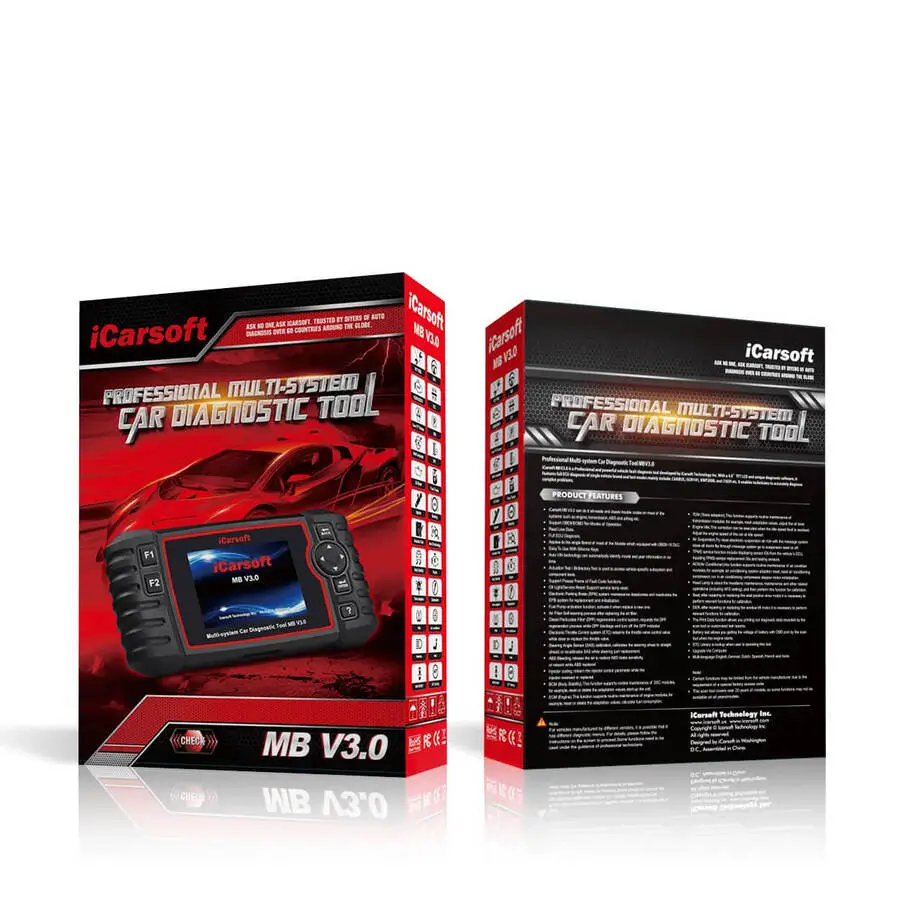
iCarsoft MB V3.0 Diagnostic Scanner for Mercedes-Benz
A dedicated automotive diagnostic tool for supported Mercedes-Benz, Sprinter, Smart and Maybach vehicles. Explore its diagnostic coverage, active tests, service functions, technical specifications and compatibility before purchasing.
Availability: Check the official store for current stock status, shipping estimates and pricing.
Check Price & AvailabilityAffiliate disclosure: Shopping Guide may earn a commission if you purchase through links on this page, at no additional cost to you. We are an independent publisher, not the official iCarsoft store. Price, stock and terms can change.
Dealer-Level Diagnostics for Supported Vehicles
The iCarsoft MB V3.0 is designed for diagnostics across supported vehicle systems, including engine, transmission, ABS, airbags and other electronic control modules. The product page highlights full-system diagnostics, bi-directional active tests, 39 service functions, CAN-FD support and lifetime free software updates.
Full-System Access
Access supported electronic control modules, read and clear diagnostic trouble codes, review ECU information and inspect live data.
Bi-Directional Control
Run supported active tests by sending commands to vehicle components and observing their responses.
39 Service Functions
The manufacturer describes 9 commonly used maintenance functions and 30 advanced service functions. Actual availability depends on the vehicle and ECU configuration.
CAN-FD Support
Supports the CAN-FD communication protocol used by compatible newer Mercedes-Benz platforms.
Lifetime Free Updates
The product page advertises free lifetime software upgrades delivered through the included TF card reader and a computer.
Automatic VIN Identification
The AutoVIN feature is designed to identify a supported vehicle automatically when connected, reducing manual VIN entry.
Take a Closer Look

Diagnostic Tool in Use
The handheld scanner display and diagnostic interface.

Multi-System Scanner
A dedicated diagnostic tool for supported vehicle systems.
Advanced Bi-Directional Control
Unlike a basic code reader, bi-directional control allows the scanner to issue commands to supported vehicle modules. The official product page lists the following examples of active tests. Availability varies by vehicle, model year, system and ECU.
ABS Pump Motor
Command the ABS pump motor and observe its response during a supported test.
Window Regulators
Activate supported window regulators and perform output tests.
Fuel Pump
Trigger the fuel pump on demand when the relevant vehicle system supports the function.
Wiper & Washer Motors
Test supported wiper speeds and washer-fluid pump operation.
EGR Valve
Command supported EGR valve operation between open and closed positions.
Fuel Injectors
Perform supported injector activation tests to help investigate engine misfires.
Cooling Fans
Test supported high- and low-speed cooling fan operation.
Transmission Solenoids
Run supported solenoid tests to help investigate shifting concerns.
Additional Active Tests
The manufacturer advertises more than 22 active tests across supported vehicle systems. The exact test list varies by application.
39 Service Functions
The manufacturer divides the service coverage into two groups: 9 commonly used service functions for daily maintenance and 30 advanced professional service functions. The exact functions available depend on vehicle brand, model, production year and ECU configuration.
9 Common Service Functions
Designed to cover commonly used vehicle maintenance tasks. The store describes these as daily service functions, but the complete individual list was not exposed in the product page content available for verification.
30 Advanced Service Functions
Additional professional functions for more complex service and repair procedures. Specific availability must be checked against the vehicle's supported function list.
Full-System Diagnostics
In addition to the standard engine, ABS, airbag and transmission systems, the product page describes diagnostic access to supported vehicle control modules.
- Read and clear diagnostic trouble codes (DTCs).
- Read electronic control unit (ECU) information.
- Read live data from supported modules.
- Read and clear freeze-frame data.
- Access supported ECU modules through the 16-pin OBDII diagnostic connector.
- Review previously tested vehicle systems and diagnostic history.
OE-Level Diagnostic Functions
The manufacturer lists the following advanced diagnostic procedures and adaptations. Availability is vehicle-specific.
- Intake valve calibration
- Upstream oxygen sensor calibration
- NOx storage catalytic converter replacement adaptation
- SCR upstream NOx sensor learned-values reset
- Drive authorization system teach-in
- Camshaft position teach-in
- SCR downstream NOx sensor replacement teach-in
- Calibration value reset
- Pedal angle sensor teach-in
- Intake port shutoff teach-in
- Wheel electronics ID programming
These are examples listed on the seller's product page, not a guarantee that every procedure is available for every vehicle.
10 OBDII Test Modes
The store states that the scanner supports the following 10 OBDII test modes for compatible vehicles meeting applicable 1996-and-newer OBDII/EOBD/JOBD/KOBD/CAN/CAN-FD standards.
Read diagnostic trouble codes.
Clear supported diagnostic codes.
Review inspection and maintenance monitor readiness.
View available live sensor and system data.
Review stored data captured around a fault event.
Read available vehicle identification information.
Review supported oxygen-sensor monitor information.
Access supported onboard monitor results.
Access the supported evaporative-emissions system test.
Read pending diagnostic trouble codes.
CAN-FD Support for Compatible Newer Vehicles
CAN-FD stands for Controller Area Network Flexible Data-rate. The product page describes it as a newer automotive communication protocol adopted by Mercedes-Benz starting around 2020, and identifies platforms including W213, W223 and W167.
Fast AutoVIN Identification
The AutoVIN feature is designed to identify a supported vehicle after the scanner is connected, reducing the need to enter the VIN manually. Identification and available functions can depend on the vehicle and its electronic systems.
Lifetime Free Software Updates
The official store advertises lifetime free software and vehicle database updates, delivered using the included TF card reader and a computer. The product is presented as requiring no annual software subscription fee.
Year 1
$0
Software updates advertised as included.
Year 3
$0
No annual update subscription advertised.
Lifetime
$0
Lifetime software upgrades according to the manufacturer.
Updates are performed via the included card reader and a computer. A Wi-Fi connection is not listed as necessary for this update method.
15 Supported Languages
The product page lists these interface languages:
Optional 38-Pin and 14-Pin Adapters
38-Pin Mercedes-Benz Adapter
Some older Mercedes-Benz vehicles use a round 38-pin diagnostic connector rather than the standard 16-pin OBDII connector. The seller lists the optional adapter for compatible older vehicles, including examples such as:
- C-Class W202 (up to 2000)
- E-Class W210 (up to 2002)
- S-Class W140 (up to 1998)
- CLK-Class W208 (up to 2003)
- SLK-Class R170
- SL-Class R129 (up to 2002)
Sold separately. Verify connector and model compatibility before ordering.
14-Pin Sprinter Adapter
The product page identifies an optional 14-pin adapter for compatible older Sprinter vans, including T1N and early NCV3 models from 1995–2006.
Sold separately. The standard 16-pin OBDII cable is included; additional adapters are not part of the standard package.
Diagnostic History and Report Printing
- Access previously tested vehicle systems.
- Save and share diagnostic reports.
- Print diagnostic reports through a Windows PC connected by USB.
- Use the built-in feedback function to report issues to the manufacturer's technical team.
Complete Product Specifications
| Product | iCarsoft MB V3.0 diagnostic scanner |
|---|---|
| Vehicle coverage | Mercedes-Benz, Sprinter, Smart and Maybach, subject to compatibility |
| Model years stated by seller | 1996–2025; confirm specific vehicle coverage |
| Display | 4.0-inch TFT LCD color screen |
| Resolution | 480 × 320 pixels |
| Controls | Physical buttons |
| Connectivity | USB 2.0 / OBDII |
| Power | 9–18V, supplied through OBDII |
| USB-C input | 5V / 500mA |
| Typical power consumption | 1.8W |
| Operating temperature | 0 to 50°C (32 to 122°F) |
| Storage temperature | −20 to 70°C (−4 to 158°F) |
| Operating humidity | 5%–95%, non-condensing |
| Dimensions (W × H × D) | 206 × 104.1 × 32.6 mm (8.11 × 4.10 × 1.28 in) |
| Net weight | Approximately 350 g |
| Supported automotive protocols | ISO 9141-2, ISO 14230-2, ISO 15765, K/L-Line, Flashing Code, SAE-J1850 VPW, SAE-J1850 PWM, ISO 11898 (high-speed, medium-speed, low-speed and single-wire CAN), CAN-FD, SAE J2610, GM UART, UART Echo Byte Protocol, Honda Diag-H Protocol, TP2.0 and TP1.6 |
| Software updates | Lifetime free updates advertised by the manufacturer |
| Warranty | The product page advertises a 1-year hardware warranty; confirm current terms with the seller |
Package Contents
Main Unit
iCarsoft MB V3.0 diagnostic scanner.
Storage Bag
Carry case for storing the scanner.
OBD2 Main Cable
16-pin diagnostic cable.
USB-C Cable
Cable listed for the device's USB-C connection.
TF Card Reader
Used for software and vehicle database updates via computer.
User Manual
Multi-language user manual.
Optional 38-pin Mercedes-Benz and 14-pin Sprinter adapters are sold separately.
iCarsoft MB V1.0 vs. V2.0 vs. V3.0 vs. V4.0
The official product page compares four generations in the MB scanner range. The table below summarizes the distinctions stated on that page.
| Feature | MB V1.0 | MB V2.0 | MB V3.0 | MB V4.0 |
|---|---|---|---|---|
| Display | 2.8 inches | 4 inches | 4 inches | 5 inches |
| Interaction | Physical buttons | Physical buttons | Physical buttons | Touchscreen |
| System access | Full systems, supported vehicles | Full systems, supported vehicles | Full systems, supported vehicles | Full systems, supported vehicles |
| Update method | USB | USB | Card reader / PC | Wi-Fi |
| Lifetime free updates | Included | Included | Included | Included |
| Bi-directional active tests | Not included | Not included | Included | Included |
| Oil service reset | Included | Included | Included | Included |
| SAS reset | Included | Included | Included | Included |
| EPB / brake-pad reset | Not included | Included | Included | Included |
| Electronic throttle control | Not included | Included | Included | Included |
| DPF regeneration | Not included | Included | Included | Included |
| Injector coding | Not included | Included | Included | Included |
| ABS bleeding | Not included | Included | Included | Included |
| BMS reset | Not included | Included | Included | Included |
| TPMS reset | Not included | Included | Included | Included |
| High-level service functions | Not included | Not included | Expanded service functions | 32 high-level functions shown in comparison |
MB V3.0 FAQs
Can the MB V3.0 work on an older Mercedes without a standard OBDII port?
According to the seller, yes, with the optional 38-pin Mercedes-Benz adapter sold separately. Some older vehicles use a round 38-pin diagnostic connector rather than the standard 16-pin OBDII port. Check the connector on your vehicle and confirm compatibility.
Does it work on Sprinter T1N or early NCV3 vans?
The seller lists support with the optional 14-pin Sprinter adapter, sold separately, for compatible models including 1995–2006 Sprinter vans.
Will it work on a 2022 Mercedes E-Class or S-Class?
The official product page states that the MB V3.0 supports CAN-FD and identifies modern platforms such as W213, W223 and W167. Confirm the exact vehicle and diagnostic functions before purchase.
Are software updates free?
The manufacturer advertises lifetime free software upgrades without an annual subscription. Updates are performed using the included TF card reader and a computer.
What is the main difference between the MB V3.0 and MB V2.0?
The seller identifies bi-directional control (active tests) and an expanded range of high-level service functions as the main additions in the V3.0 over the V2.0.
Does every service function work on every Mercedes-Benz?
No. The manufacturer states that available service functions vary by vehicle brand, model, production year and ECU configuration.
Does it include adapters for older vehicles?
The standard package lists a 16-pin OBDII cable. The optional 38-pin Mercedes-Benz adapter and 14-pin Sprinter adapter are sold separately.
Does the scanner use a touchscreen?
No. The MB V3.0 has a 4-inch TFT LCD screen with 480 × 320 resolution and physical-button navigation. The MB V4.0 is the touchscreen model in the comparison.
Can I print diagnostic reports?
The product page says diagnostic reports can be saved, shared and printed by connecting the device to a Windows PC through USB.
Is the product available right now?
The official store currently marks it as unavailable/backordered. Check the seller's page for the latest stock status, delivery estimates and price.
Customer Reviews & Ratings
The official product page displayed 38 reviews at the time of checking. Its displayed breakdown was 35 five-star reviews (92%), 2 four-star reviews (5%) and 1 three-star review (3%), with no two-star or one-star reviews shown.
Smart 451 Diagnostics
A reviewer reported scanning and clearing codes from the Smart 451 ECU, TCU and SAM module, and mentioned clutch adaptation and transmission relearn.
Vehicle Fault Diagnosis
Several reviewers described using the scanner to identify faults, clear codes and investigate issues on Mercedes-Benz vehicles.
Sprinter Compatibility
Reviewers reported using the scanner on Sprinter vehicles, including a 2024 Sprinter. One reviewer noted that a software update was needed before scanning.
Older Mercedes Vehicles
A reviewer reported using an optional 38-pin adapter with an older Mercedes vehicle.
Considerations
Some reviewers mentioned setup complexity, vehicle-specific function limitations or wishing they had purchased the touchscreen V4.0.
Read the Details
Customer experiences are individual reports and do not guarantee the same results or feature support on your vehicle.
Review summary based on customer feedback displayed on the seller's product page. Ratings and review counts may change.
Check Your Vehicle's Compatibility
Before purchasing, confirm your exact vehicle make, model, model year, diagnostic connector and required service functions. If you own an older vehicle, check whether an optional adapter is necessary.
